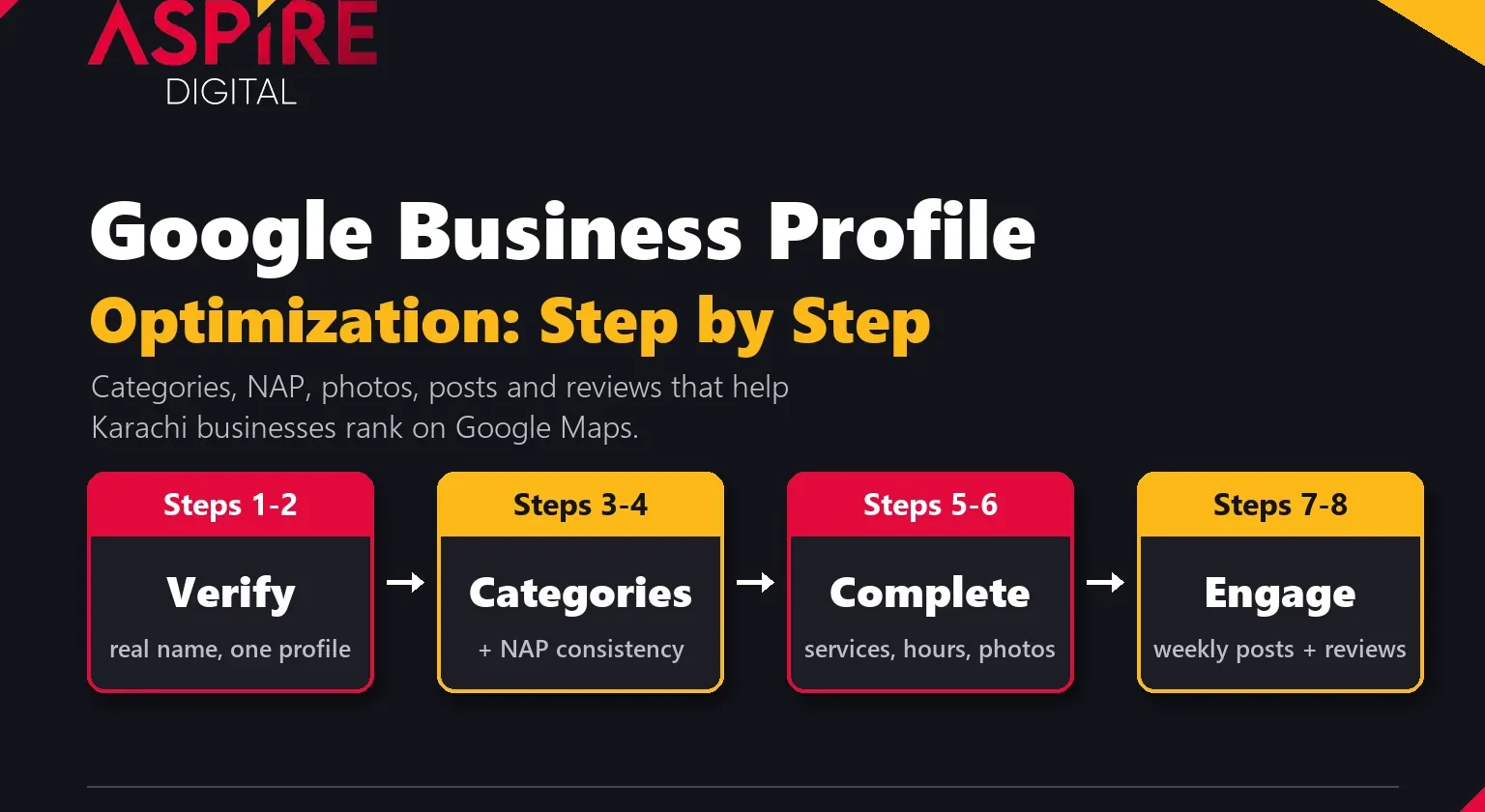
Quick answer: Google Business Profile optimization means filling in every part of your profile accurately and keeping it active: verify the business, choose the right primary category, list your services, keep your name, address and phone the same everywhere, add real photos, post updates and earn and reply to reviews. Google says local results are mainly based on relevance, distance and prominence, and a complete, active profile helps with the two you can control.
For a clinic in Clifton, a restaurant in Bahadurabad or an AC repair service in Gulshan, the Google Maps listing is often the first thing a customer sees, before the website and before any ad. When we deliver local SEO services in Karachi, the profile is where we start, because it is free, it shows up where people are ready to call, and many local businesses leave half of it empty. This guide walks through Google Business Profile optimization step by step, in the order we do it for clients, with the rules Google publishes so you do not risk a suspension.
What is Google Business Profile and why does it matter?
Google Business Profile (it used to be called Google My Business) is the free listing that shows your business on Google Search and Google Maps: your name, rating, address, hours, phone number, photos and the buttons to call, get directions or visit your website.
When someone searches "dentist near me" or "bakery in North Nazimabad", Google shows a map with a short list of businesses above the normal results. Those few spots get most of the calls and direction requests. If you are new to the idea, our guide on why local SEO matters for small businesses explains how these local results work and who they help most.
How Google decides who ranks on Google Maps
Google does not publish the full formula, but in its tips to improve your local ranking it names three main factors. Google also states plainly that there is no way to pay for a better local ranking.
| Factor | What Google means | What you can do about it |
|---|---|---|
| Relevance | How well your profile matches what the person searched for | Correct categories, a complete services list, a clear description and accurate details |
| Distance | How far your business is from the searcher or the area in their search | Very little. Use your real address or an accurate service area; never a fake one. |
| Prominence | How well known your business is, including links to your business and how many reviews you have | Earn more genuine reviews, reply to them, get mentioned and linked on other websites |
Every step below feeds relevance or prominence. That is the whole point of Google Business Profile optimization: you cannot move your shop closer to every customer, but you can make Google more confident that you are the right answer.
Google Business Profile optimization: a step by step guide
Step 1: Claim and verify your profile
Search for your business name on Google Maps. If a profile already exists (customers or Google may have created one), claim it rather than making a new one. Google is clear that there should be only one profile per business, and duplicates cause problems with how your information shows on Maps and Search.
Then verify it. Google says verification tells it you are authorised to represent the business, which makes the profile more likely to show up in search results. An unverified profile is also easy for anyone to edit, so do this first.
Step 2: Use your real business name, with no keywords
Your name on Google should match your signboard, letterhead and website. It is tempting to write "Al Noor Dental Clinic | Best Dentist in Karachi DHA", but Google's guidelines for representing your business say that adding unnecessary information to the name is not permitted and can get the profile suspended. That includes taglines, service keywords, location keywords, phone numbers and words in all capitals.
A keyword-stuffed name may give a short boost, but a suspended profile disappears from Maps completely. It is not worth it.
Step 3: Choose the right Google Business Profile categories
Categories are one of the strongest relevance signals on the profile. Google lets you pick one primary category and up to 9 more categories. The primary category matters most, so choose the most specific one that describes your main business: "Pediatric dentist" rather than "Dentist" if that is what you are, "Biryani restaurant" rather than just "Restaurant".
- Look at who already ranks. Search your main service on Google Maps and check the categories the top three businesses use. This shows what Google already connects with that search.
- Add secondary categories for real services only. Google's own example: a grocery store with a bakery and deli picks "Grocery store" as primary and adds "Bakery" and "Deli".
- Use as few as you need. Google asks businesses to choose the fewest categories it takes to describe the core business, and not to use categories as keywords.
Changing the primary category can move your rankings noticeably, up or down. If you change it, note the date and watch your Maps visibility for the next few weeks.
Step 4: Fix NAP consistency across the web
NAP stands for name, address and phone number. NAP consistency means these three details are written the same way on your Google profile, your website, Facebook and Instagram pages, and directories. Google says it wants businesses represented the same way they appear in the real world, and it uses information from other sources too, so mismatched details make it harder for Google to trust which version is correct.
In Karachi this goes wrong in a few common ways:
- The address is written differently everywhere: "Block 13-D, Gulshan-e-Iqbal" on Google, "Gulshan Block 13 D" on Facebook and "Gulshan-e-Iqbal, Karachi" on the website.
- An old mobile number from when the business started is still listed on directories and old social pages.
- The business moved, but only the Google profile was updated.
Pick one exact format and use it everywhere. Put the same name, address and number in your website footer and on your contact page. If you serve customers at their location and do not want to show your address, Google allows service-area businesses to hide the address and list the areas they serve instead, but the office still has to be real and staffed.
Step 5: Complete every section of the profile
Google says businesses with complete and accurate information are more likely to show up in local results. Go through the profile editor and fill in everything that applies:
- Hours, including special hours for Eid, Ramadan timings and public holidays. Wrong hours lead to annoyed customers and bad reviews.
- Services: add each service you offer with a short, plain description. This gives Google more words to match against searches.
- Products, if you sell physical items, with prices where you can.
- Business description: up to 750 characters. Explain what you do, who you serve and which areas, in normal sentences. Google does not allow links, prices or offers in this field.
- Attributes such as wheelchair access, parking or Wi-Fi, where they are true.
- Website link to the most relevant page, plus booking or WhatsApp options where available.
Step 6: Add real photos and keep adding them
Photos help customers decide and help them find you. Add an exterior shot so people recognise the building, plus interior, team, product and work photos. Google's photo guidelines recommend JPG or PNG files between 10 KB and 5 MB, at least 720 by 720 pixels, in focus and without heavy filters.
Stock photos do not help. A real photo of your clinic reception or your kitchen at lunchtime tells a customer much more. Adding a few new photos every month also keeps the profile looking active.
Step 7: Publish Google Business Profile posts
Google Business Profile posts let you share updates, offers and events directly on your profile in Search and Maps. Google lists three post types:
- Updates: news, a new service, a finished project or a useful tip, with a photo and a button.
- Offers: a discount or deal with start and end dates, for example a Ramadan or 11.11 sale.
- Events: an open day, workshop or launch with dates and times.
Google archives posts older than six months unless a date range is set, so an empty "Updates" section can make a business look closed. We aim for one post a week for most clients. Keep each post short, add a real photo, and avoid putting a phone number in the text: Google says posts with phone numbers it cannot connect to the business may be rejected.
Step 8: Get more reviews and reply to every one
Reviews feed prominence directly. Google says more reviews and positive ratings can help your local ranking, and replying shows customers you value their feedback.
- Ask every happy customer. Create your review link from the profile and send it on WhatsApp after the job is done or the order is delivered. A short message with a direct link works far better than "please review us on Google".
- Do not filter or reward. Google's review policies do not allow asking only happy customers, pressuring people to review on the spot, or offering discounts or gifts in exchange for reviews. Fake reviews can lead to removed reviews or restrictions on the profile.
- Reply to all reviews, good and bad. Use the person's name and mention what they said. For a negative review, apologise where it is fair, give the facts calmly and offer to sort it out offline. Never share the customer's private details.
How to rank on Google Maps in Karachi: what else helps
The profile is the core, but it does not work alone. If you want to rank on Google Maps for competitive searches in areas like DHA, Clifton or Gulshan, these support it:
- A matching website page. The page you link from the profile should mention the same services and the area you serve, with your NAP in the footer and LocalBusiness schema.
- Local citations. Consistent listings on Pakistani directories and platforms confirm your details and help prominence.
- Links and mentions. Google names links to your business as part of prominence. Local news, suppliers, associations and event pages are realistic sources.
- A stronger website overall. More search visibility and more visitors usually go together with a stronger local presence. Our guide on how to increase website traffic in Pakistan covers the website side in detail.
Common mistakes that hold Karachi businesses back
| Mistake | Why it hurts | What to do instead |
|---|---|---|
| Keywords in the business name | Against Google's guidelines; can get the profile suspended | Use your real-world name; put keywords in services and the description |
| Two profiles for the same location | Splits reviews and confuses Google | Keep one, ask Google to merge or remove the duplicate |
| Virtual office or fake address | Not eligible for a profile under Google's rules | Use your real, staffed location or set a service area |
| Wrong or missing holiday hours | Customers arrive to a closed shop and leave bad reviews | Set special hours before Eid and public holidays |
| Too broad a primary category | Weaker match for specific searches | Pick the most specific category that is true |
| Unanswered reviews | Looks inactive; complaints sit unanswered for everyone to see | Reply to every review within a few days |
| Nothing posted in months | The profile looks abandoned next to active competitors | Post weekly: updates, offers and real photos |
How to measure if your optimization is working
Open the Performance section of your profile each month. It shows how many people found you on Search and Maps, the searches they used, and how many calls, direction requests, website clicks and messages you received. Write these numbers down monthly so you can compare.
Also look at the "Searches" list. If people find you mostly by your business name, the profile is not yet winning new customers. Growth in searches for your service, like "skin specialist" or "car wash", is the real sign that the work is paying off. Ranking on Maps can also change from one neighbourhood to the next, so check from a few locations, not just your office.
As for timing, many businesses see better Maps visibility within 6 to 12 weeks of proper optimization, while competitive categories in busy areas take longer. For the wider picture, see how long SEO takes to work.
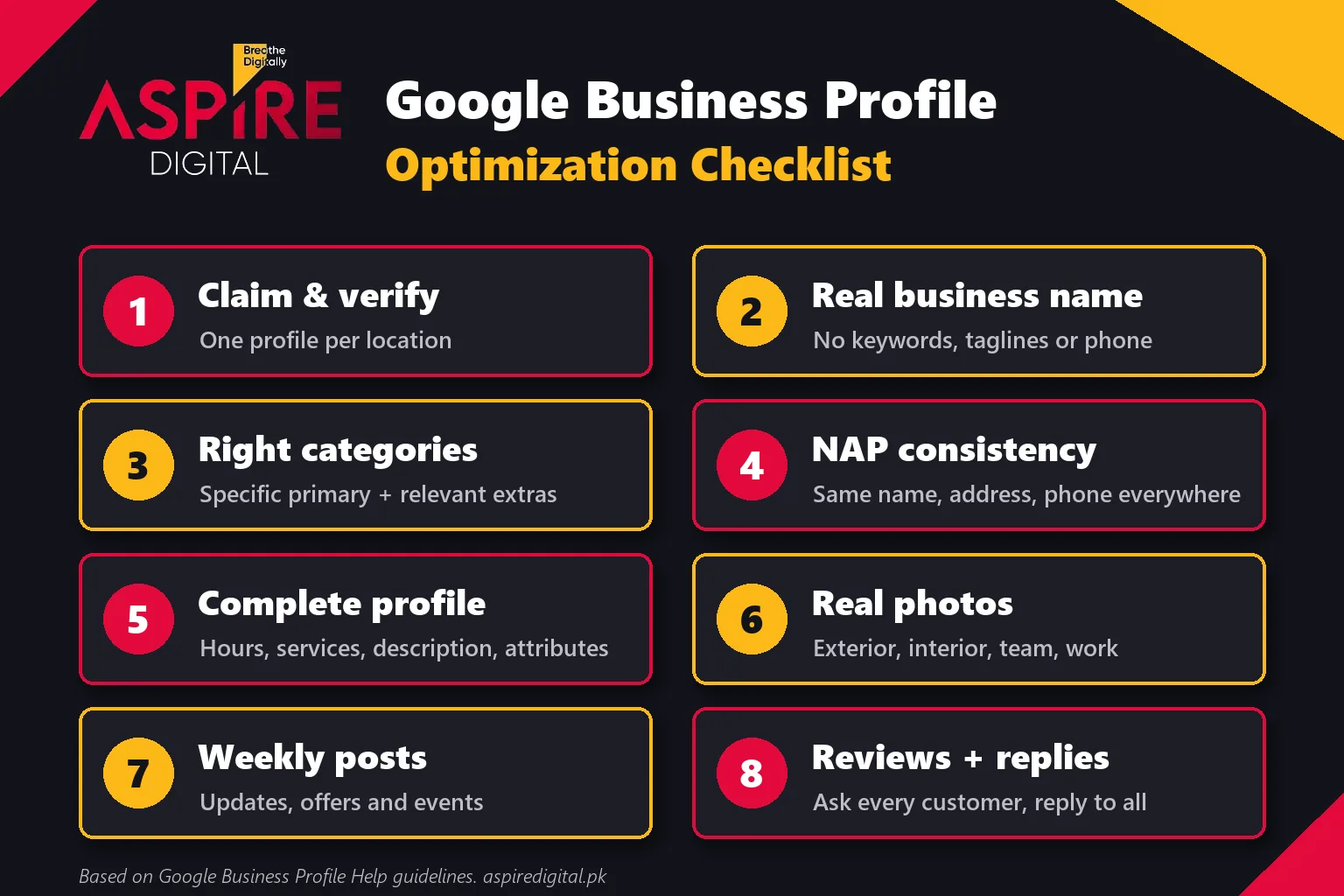
Your Google Business Profile optimization checklist
- Claim and verify the profile; remove any duplicates.
- Use your real business name, exactly as on your signboard.
- Choose the most specific primary category and only relevant secondary ones.
- Make name, address and phone identical on Google, your website, social pages and directories.
- Fill in hours, special hours, services, products, description and attributes.
- Upload real exterior, interior, team and work photos, then add more every month.
- Publish a Google Business Profile post every week.
- Ask every happy customer for a review and reply to every review.
- Track calls, direction requests and non-brand searches every month.
Related guides: Why Local SEO Matters for Small Businesses | How to Increase Website Traffic in Pakistan
Frequently asked questions
What is Google Business Profile optimization?
It is the process of completing and maintaining your Google Business Profile so it shows up for more relevant local searches: correct categories, accurate contact details, services, photos, regular posts and a steady flow of genuine reviews with replies.
Is Google Business Profile free?
Yes. Creating and managing a profile is free, and Google states that you cannot pay for a better local ranking. Paid local ads are a separate product.
How many Google Business Profile categories should I add?
One primary category plus only the secondary categories that describe real services you offer. Google allows up to 9 additional categories but asks you to use the fewest needed to describe your core business.
How often should I publish Google Business Profile posts?
Once a week is a good target for most businesses. Posts older than six months are archived unless they have a date range, so regular posting keeps the profile looking active.
Can I rank on Google Maps without a physical shop?
Yes, as a service-area business. You can hide your address and list the areas you serve, but you still need a real, staffed location. Virtual offices are not eligible under Google's guidelines.
Why is my business not showing on Google Maps?
The usual causes are an unverified or suspended profile, a primary category that does not match the search, incomplete details, too few reviews compared with nearby competitors, or the searcher being far from your location. Check that the profile is verified and complete first.